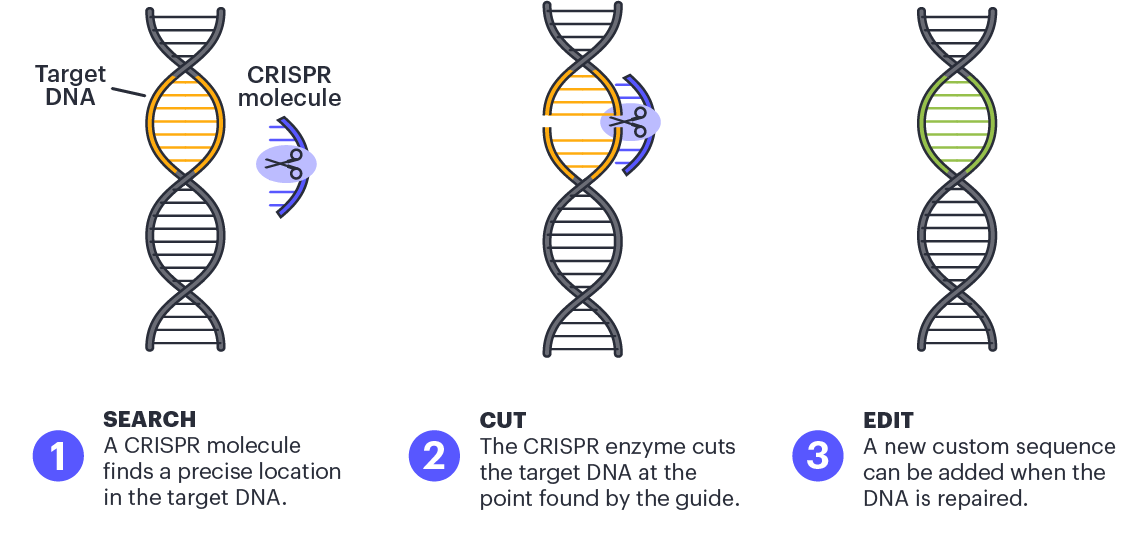
Analyzing CRISPR (Clustered Regularly Interspaced Short Palindromic Repeats) data in Tableau involves visualizing and exploring relevant information extracted from your CRISPR experiments. The specific steps can vary based on your dataset, but here’s a general guide on how you might approach CRISPR analysis with Tableau:
1. Data Preparation:
- Ensure your CRISPR data is well-organized and cleaned. You might have information about guide RNA sequences, target genes, editing efficiency, etc.
- Load your CRISPR data into Tableau. Supported data sources include Excel, CSV, databases, or direct connections to specific data platforms.
2. Explore the Data:
- Use Tableau’s drag-and-drop interface to explore your CRISPR data.
- Identify key variables such as guide RNA sequences, target genes, experimental conditions, and outcomes (e.g., editing efficiency).
- Create basic visualizations (scatter plots, bar charts, etc.) to understand the distribution and relationships within your data.
3. Custom Calculations:
- Use Tableau’s calculated fields to derive additional insights. For example, you might calculate the average editing efficiency for each guide RNA or gene.
- Create calculated fields to normalize data, calculate percentages, or perform other custom analyses.
4. Genome Browser Integration:
- If you have genomic data, consider integrating a genome browser into Tableau. This could help you visualize the genomic context of your CRISPR experiments.
- Tableau allows embedding web content, so you might embed a genome browser widget or link to an external genome browser tool.
5. Highlighting and Filtering:
- Utilize Tableau’s highlighting and filtering features to focus on specific subsets of your CRISPR data.
- Allow users to interact with your dashboards by selecting specific guide RNAs, genes, or experimental conditions.
6. Machine Learning Integration:
- If you have machine learning models predicting outcomes based on CRISPR data, integrate these predictions into Tableau.
- Utilize calculated fields or scripts to incorporate machine learning insights into your visualizations.
7. Dashboards for Insights:
- Build dashboards that combine multiple visualizations to provide a comprehensive view of your CRISPR data.
- Include tooltips and annotations to provide additional context and details on data points.
8. Sharing and Collaboration:
- Share your Tableau dashboards with collaborators or stakeholders.
- Consider publishing your dashboards to Tableau Server or Tableau Online for wider access.
9. Iterate and Refine:
- Continuously iterate on your Tableau analysis as you gain more insights or receive feedback.
- Refine your visualizations based on the evolving needs of your CRISPR analysis.
10. Documentation:
- Document your Tableau workbook, especially if others will be using or building upon your analysis.
- Provide clear explanations for calculated fields, filters, and any custom configurations.
 AI for the Enterprise
Leave a comment